In this project, we will be searching for a DNA sequence that is present in roughly 85% of genetically modified crops: the transcription terminator of the nopaline synthase (NOS) gene of the soil bacterium, Agrobacterium tumefaciens. This bacterium has the natural ability to insert its DNA into a host plant. Scientists can use this natural ability to deliberately transfer genes into plant genomes, to create a GM plant. During this process, the bacterium’s NOS transcription terminator remains in the plant’s genome.
What are we testing?
A transcription terminator – usually just called a terminator – is a DNA sequence that marks the end of a gene for transcription. The NOS terminator is a 127 bp sequence found in genetically modified plants. In addition to their own chromosomes, plants contain organelles with DNA called chloroplasts. chloroplasts contain their own genome. In addition to the NOS termiantor, we will also amplify a 400 bp DNA fragment of the chloroplast DNA as a control sequence to confirm that there is plant DNA in the sample.
Overview
What are the possible results for this experiment?
There are two possible results. If the PCR reaction works, we should observe at least one DNA band: the control sequence, the chloroplast DNA. If the plant has been genetically modified using the Agrobacterium tumefaciens technique, then we should see the chloroplast DNA and a band for the NOS terminator.
Chloroplast: the PCR reaction worked, and there is plant DNA present
NOS terminator: There is a copy of the NOS terminator in the sample, which means it has been genetically modified using the Agrobacterium tumefaciens technique.
Protocol
In this project, you will first extract DNA from plant samples. This will take about 20 minutes. After this, you will use PCR to amplify both Chloroplast and NOS terminator genes. This will take about 90 min, but most of it will be waiting time. Finally, you will visualise the results using Gel Electrophoresis, which will take about 45 min. At the end of each section, you can continue right away, or store your samples and continue later.
DNA Extraction
First, obtain the DNA sample. Use the DNA Extraction from tissue. It will take ca 20 min, at the end of which you should have a clean DNA template sample in a PCR tube.
PCR
In this step, you will use PCR to amplify both the chloroplast DNA and NOS terminator.
The experiment uses a method called duplex PCR, where two different DNA targets are amplified in the same PCR experiment by using two separate primer pairs.
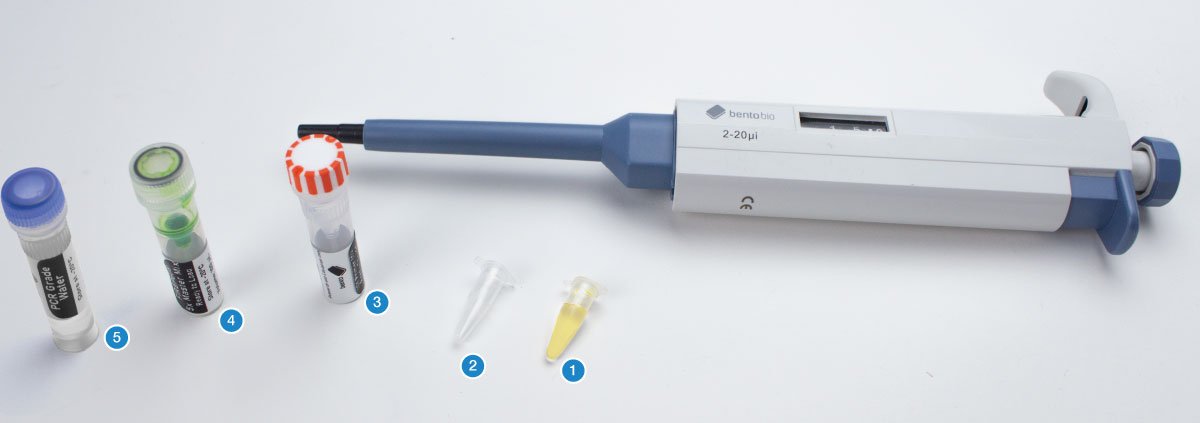
You will need the DNA template sample (1), an empty PCR tube (2), the primer mix for this project (3), the 5x PCR mastermix (4), and PCR grade water (5). The total final volume of your tube will be 20 μL.
First add the mastermix. Set your micropipette to 4 μL.
Using a fresh pipette tip, transfer 4 μL of the 5x PCR master mix into the empty PCR tube. Then discard your tip.
Next add the primer mix. Set your micropipette to 2 μL. Using a fresh pipette tip, transfer 2 μL of the primer mix into the PCR tube. Then discard your tip.
Now add the DNA template. Set your micropipette to 2 μL.
Using a fresh pipette tip, transfer 2 μL of the DNA template sample from the sample tube into the PCR tube with the mastermix and primer mix. Then discard your tip.
Finally add PCR grade water to make the total volume up to 20 μL. Set your micropipette to 12 μL.
Using a fresh pipette tip, transfer 12 μL of PCR grade water into the PCR tube. Then discard your tip.
Place your PCR tube in the thermocycler block.
Set up the thermocycler with the following PCR program:
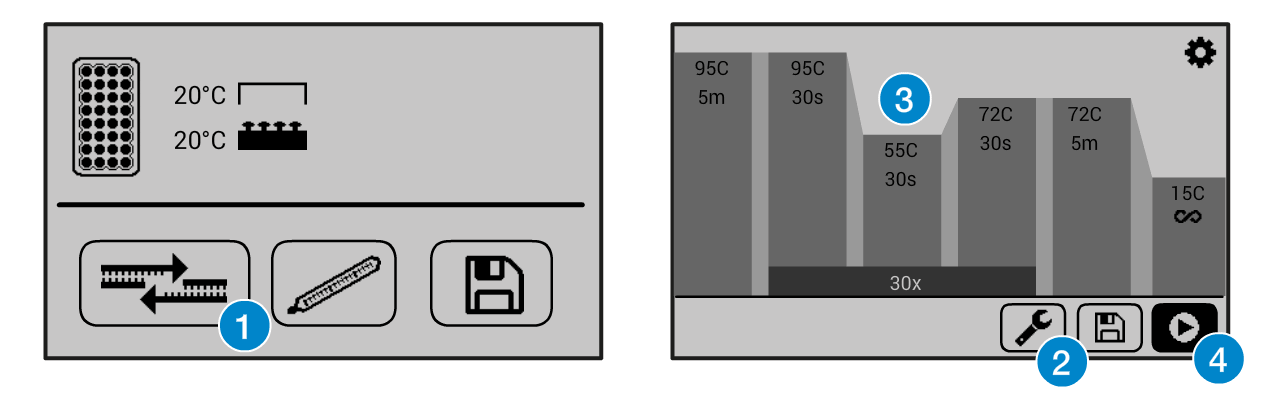
If you need help operating the Bento Lab thermocycler, check the manual. You can use the PCR preset (1), then modify (2) the program to the required settings (3)before running the program (4).This figure shows example settings – please consult the specific protocol for recommended PCR program settings.
The program will run for ca 2 hours. When it is finished, you can keep the result in the freezer, or use it right away for gel electrophoresis.
Gel Electrophoresis
Follow the Gel Electrophoresis Protocol to cast a gel and run it with your PCR result, and a 100bp ladder. This should take about 40 min.
Visualising the Gel
You can now visualise your gel by placing it on your Bento Lab’s blue light transilluminator.
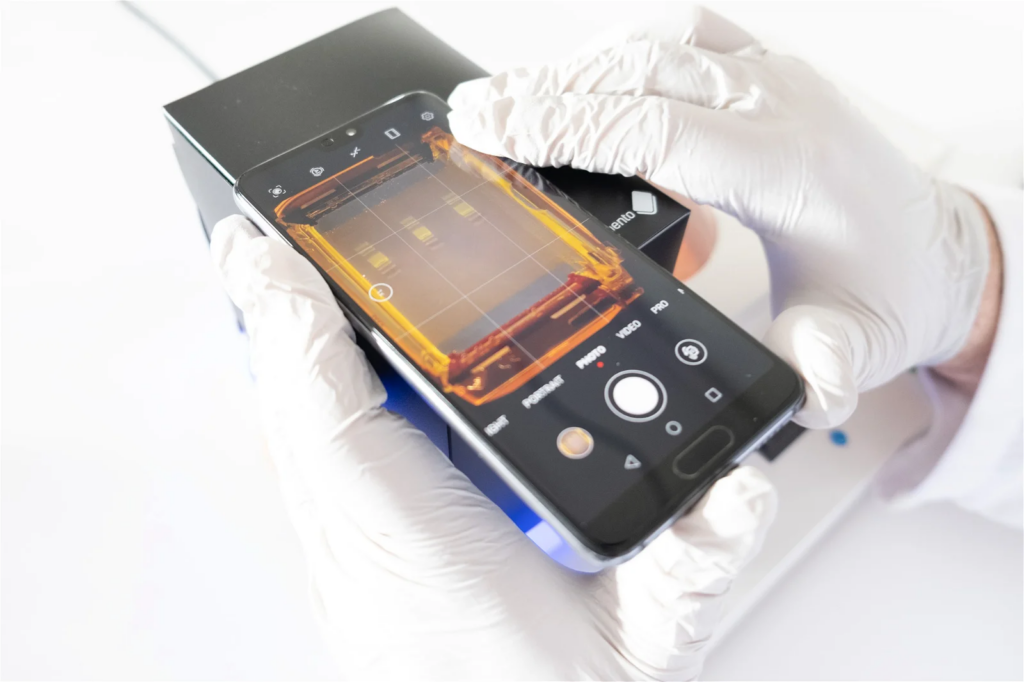
For best visualisation you can use a smartphone camera to take an image of the gel using the Gel Imaging Hood (included with Bento Lab)
To do this, place the gel tray open on the blue transilluminator (being careful not to spill any of the running buffer), and place the assembled Gel Imaging Hood over the gel tray.
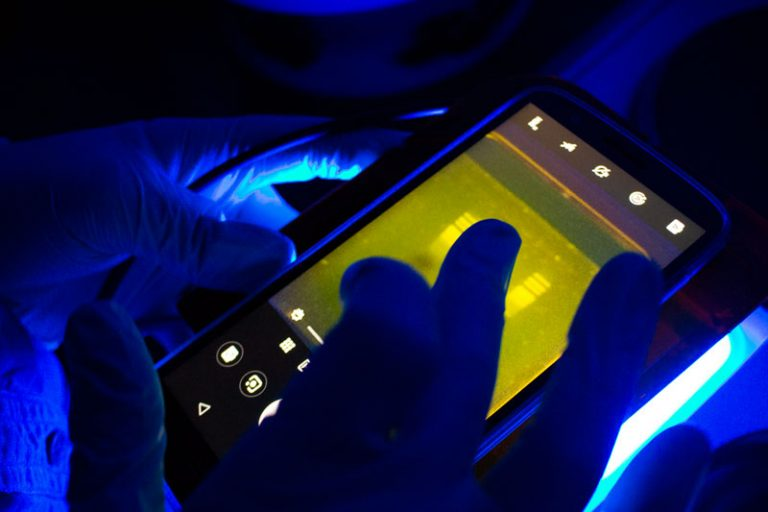
For ideal visibility, imaging should be done away from direct light. The darker it is, the better the contrast will be.
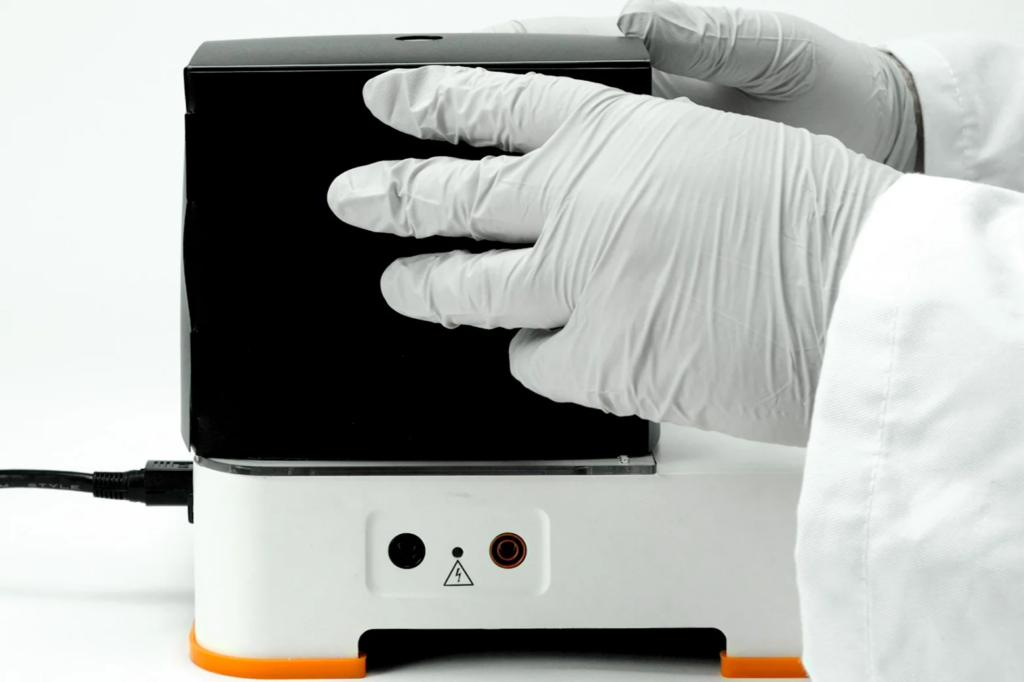
If your Bento Lab transilluminator is in direct light, you can block out some of the incoming light with one hand against the Gel Imaging Hood to get better contrast.
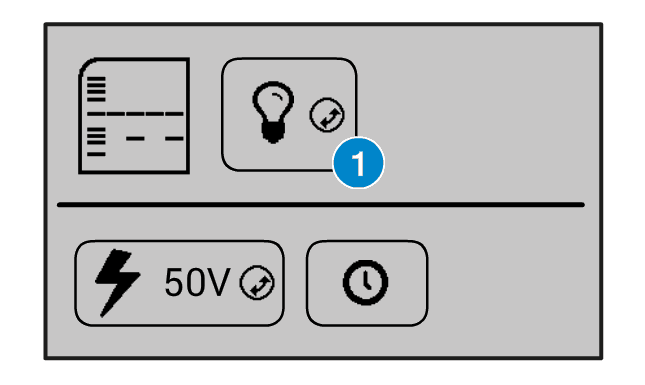
On the Bento Lab interface, you can turn the transilluminator light on by selecting the light bulb icon (1) and clicking the orange wheel button.
You can also increase and decrease the intensity of the light by selecting the light bulb icon, holding down the orange wheel button with two fingers, and rotating it left or right.
By placing your smartphone camera lens over the orange filter at the top of the Gel Imaging Hood and activating your phone camera, you will be able to see the bands of DNA fluoresce in the gel. You can then take a digital photograph to document your gel results.
If you have a smartphone with a “Pro” camera mode, you could try manually adjusting the focus so that it focuses exactly on the bands of interest to get a better image.
Another way of visualising the agarose electrophoresis gel is to use the orange lid of the electrophoresis tank as a filter for visualisation. This method is best suited for use in a dark room, or for a quick visual check while the gel is running.
To do this, first remove the lid and wipe away any condensation (if it is present), and then replace the lid. Through the orange lid, you will be able to see the bands of DNA fluoresce at their positions in the gel.
To photograph the gel using the orange lid, remove the lid, wipe away any condensation, and hold it over your phone’s camera lens to take a picture and document your experiment’s results. However, the contrast will be inferior to images using the Gel Imaging Hood unless the room is very dark.
Analysing your results
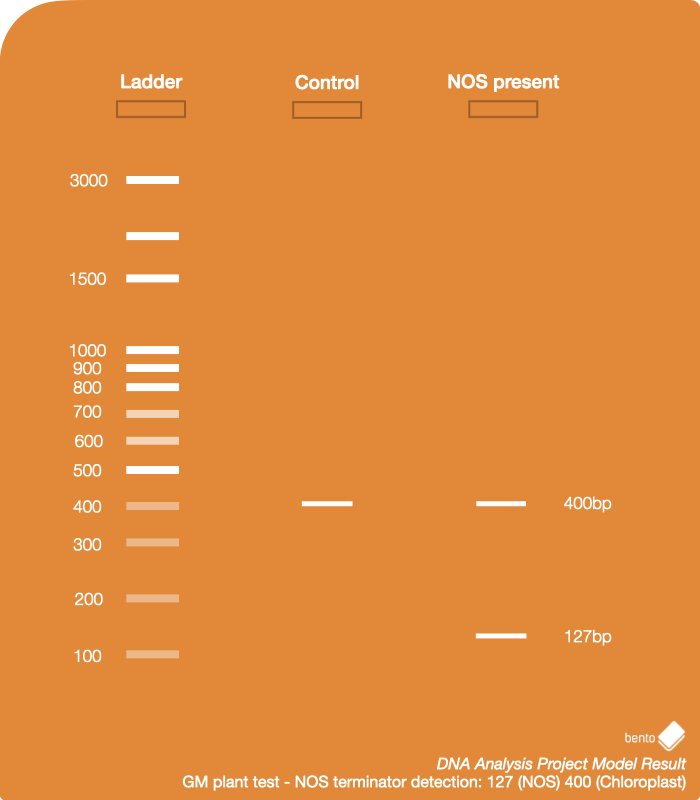
Compare the picture of your gel to this example result, which has been run with all variations. Your sample should correspond to one of these variations.
1 – Ladder – 100 bp DNA Ladder
2 – Control Chloroplast control (400 bp) This result shows a plant that has not been genetically modified using the Agrobacterium tumefaciens technique. There is a band present for the Chloroplast DNA, so the PCR reaction has worked, however there is no band present for the NOS terminator.
3 – NOS present Chloroplast control (400 bp), NOS terminator (127 bp) This result shows a plant that has been genetically modified using the Agrobacterium tumefaciens technique. There is a band present for the Chloroplast DNA, and a band present for the NOS terminator.
After you have taken good photos of the gel for your documentation, you can dispose of the gel in your regular trash.
Disposal of agarose gels is a standard waste disposal procedure followed by research labs. If you have questions, get in touch with us.